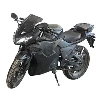
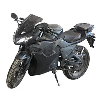
Yo, fellow scooter enthusiasts! I'm stoked to share my knowledge on how to install accessories on your street electric motor scooter. As a supplier of Street Electric Motor Scooters, I've seen firsthand how adding the right accessories can transform your ride. Whether you're looking to enhance performance, boost safety, or just add a bit of style, I've got you covered.
Why Install Accessories?
First off, let's talk about why you'd want to install accessories on your electric scooter in the first place. Well, it's all about customization and functionality. You can turn your basic scooter into a personalized machine that meets your specific needs. For example, adding a set of high-performance lights can greatly improve your visibility when riding at night, making your journey safer. Or, if you often carry stuff with you, a cargo rack can be a game-changer.
Types of Accessories
There are tons of accessories available for electric scooters, and they can be broadly categorized into several groups:
Safety Accessories
- Helmet: This is a no-brainer. A good quality helmet can protect your head in case of an accident. There are different styles and sizes to choose from, so find one that fits you well and meets safety standards.
- Lights: Front and rear lights are essential, especially for night rides. You can go for simple LED lights or more advanced ones with different lighting modes.
- Mirrors: Adding mirrors to your scooter can give you a better view of what's behind you, which is super helpful for avoiding collisions.
Comfort Accessories
- Seat: If you're planning on long rides, a comfortable seat can make a huge difference. There are different types of seats available, from simple padded ones to more luxurious options with backrests.
- Suspension: Upgrading your scooter's suspension can provide a smoother ride, especially on rough roads.
Performance Accessories
- Battery: A high-capacity battery can extend your scooter's range, allowing you to go further on a single charge.
- Motor: If you're looking for more speed and power, upgrading your motor can give you just that.
Style Accessories
- Decals and Stickers: These are a fun and easy way to add some personality to your scooter.
- Fenders: Stylish fenders can not only protect you from dirt and water splashes but also give your scooter a cool look.
Tools You'll Need
Before you start installing any accessories, make sure you have the right tools. Here are some common ones you might need:
- Screwdrivers (both Phillips and flathead)
- Wrenches (various sizes)
- Allen keys (also known as hex keys)
- Pliers
- Electrical tape
Installation Steps (General)
Now, let's get into the nitty-gritty of installing accessories. The steps can vary depending on the type of accessory, but here's a general guide:
Step 1: Read the Instructions
This might seem obvious, but it's crucial. The manufacturer's instructions will give you specific details on how to install the accessory, including any tools needed and safety precautions.
Step 2: Gather Your Tools and Parts
Make sure you have all the tools and parts required for the installation. Lay them out in an organized way so you can easily find what you need.
Step 3: Prepare Your Scooter
Clean the area where you'll be installing the accessory. This will ensure a better fit and prevent any dirt or debris from getting in the way.
Step 4: Install the Accessory
Follow the instructions carefully to install the accessory. This might involve attaching it with screws, bolts, or clips. Make sure everything is tightened properly but don't over-tighten, as this can damage the parts.
Step 5: Test the Accessory
Once the installation is complete, test the accessory to make sure it's working properly. For example, if it's a light, turn it on and check if it lights up.


Specific Installation Examples
Installing a Helmet
Installing a helmet is pretty straightforward, but it's important to get it right. Here's how:
- Put on the helmet and adjust the straps so that it fits snugly on your head. The helmet should not move around when you shake your head.
- Make sure the chin strap is fastened securely but not too tight. You should be able to fit one finger between the strap and your chin.
Installing Lights
- Locate the best spot for the lights on your scooter. This is usually near the front and rear.
- Use the provided mounting brackets or adhesive pads to attach the lights to the scooter.
- Connect the lights to the scooter's electrical system. This might involve using a wiring harness or soldering the wires. If you're not comfortable with electrical work, it's best to get a professional to do it.
- Test the lights to make sure they're working.
Installing a Seat
- Remove the existing seat (if any) by unscrewing the bolts or clips that hold it in place.
- Place the new seat on the scooter and align it with the mounting holes.
- Insert the bolts or clips and tighten them securely.
- Make sure the seat is stable and doesn't wobble. You can also adjust the seat height if needed.
Where to Buy Accessories
So, where can you find these awesome accessories? Well, you can check out local scooter shops, but if you're looking for a wider selection and more affordable prices, online stores are the way to go. For some great options, you can visit Affordable Electric Scooter, Power Scooter For Adults, Cheap Electric Scooters For Adults, Electric Scooter Adult, or 72V 1500W Electric Motor Scooter For Adults.
Conclusion
Installing accessories on your street electric motor scooter is a great way to make your ride more enjoyable, safe, and stylish. With the right tools and a bit of know-how, you can easily do it yourself. If you're interested in purchasing electric scooters or accessories, feel free to reach out for a procurement discussion. I'm here to help you find the best solutions for your needs.